Dell Online Ordering is only available through the QuoteWerks Dell Punchout Integration. In order to place electronic orders through Dell you must first have completed the Dell requisition process as outlined in the above linked article. Once the quote created from that requisition has been converted to an order, the order will show up on the QuoteWerks Purchasing tab within the Purchasing module. To complete a Dell online order follow the steps outlined below.
Important: This feature requires the Pinnacle Edition of QuoteWerks. |
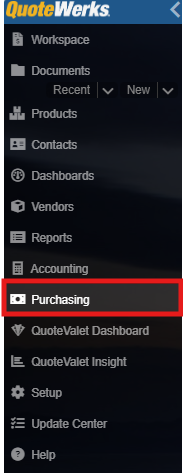
1. Navigate to the Purchasing module by clicking on Purchasing from the left navigation toolbar.
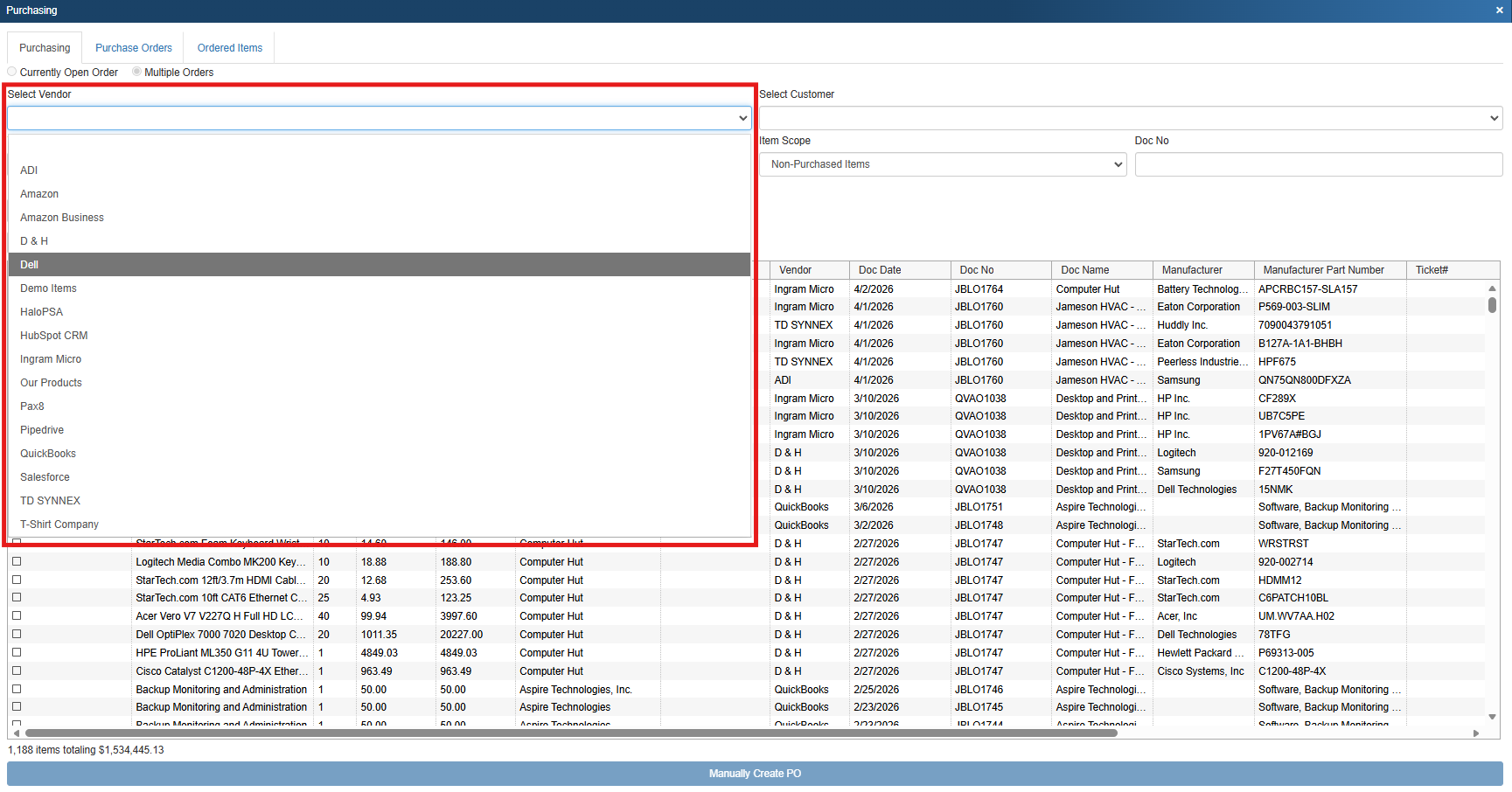
2. On the purchasing tab, select multiple orders, then Dell from the Select Vendor drop down list.
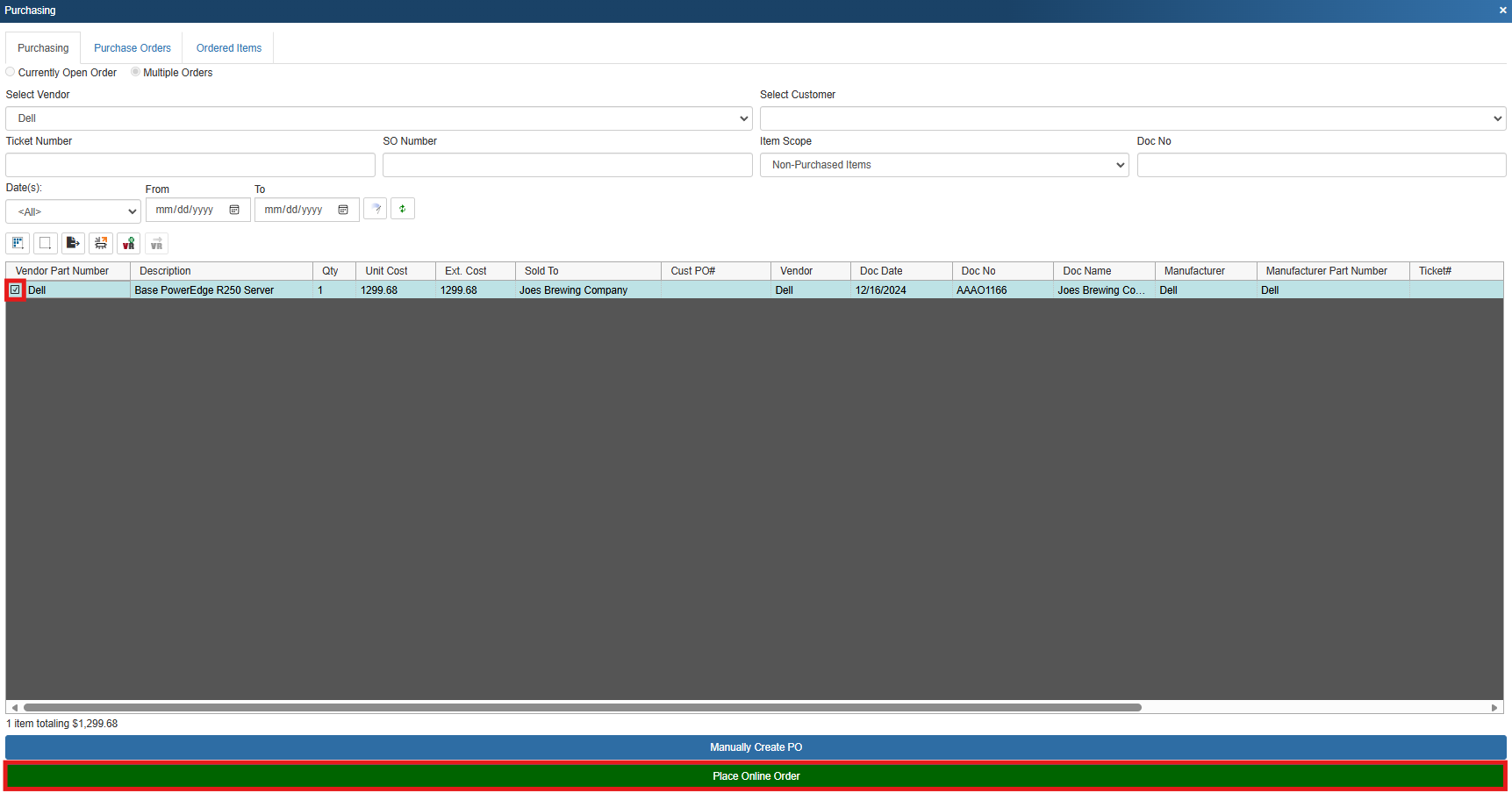
3. Select the product or products you wish to order by clicking on the radio buttons to the left of the products Vendor Part Number and Description. Once you have made your selections click on [Place Online Order] at the bottom of the screen.
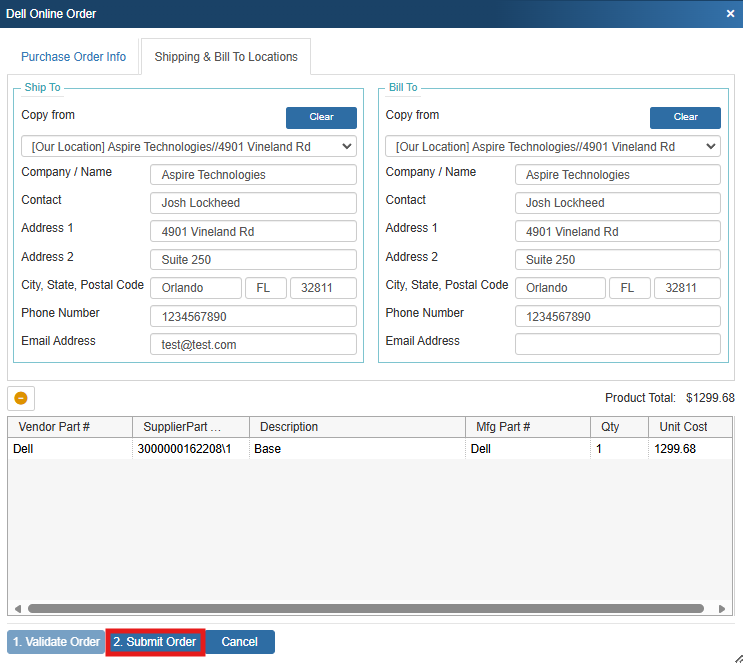
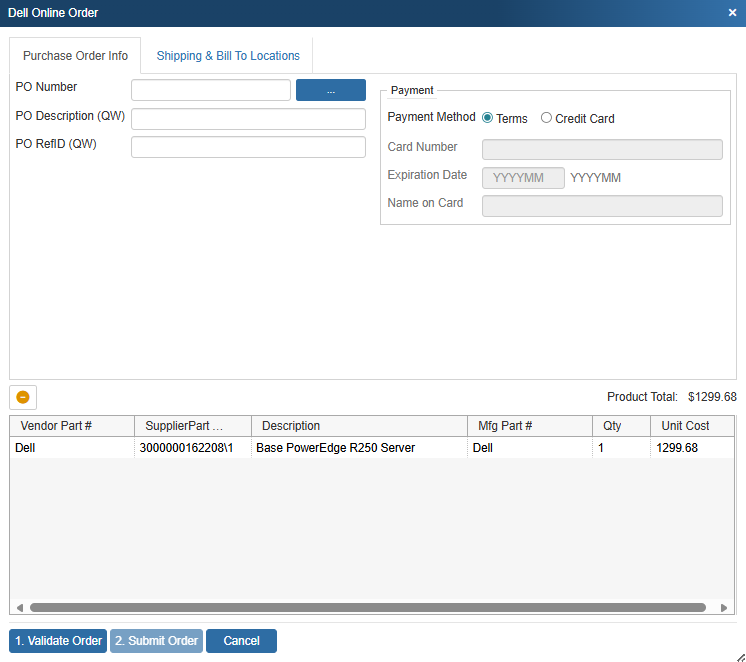
4. This opens the Dell Online Order window where you can assign a PO number, PO Description, PO RefID, and payment method.
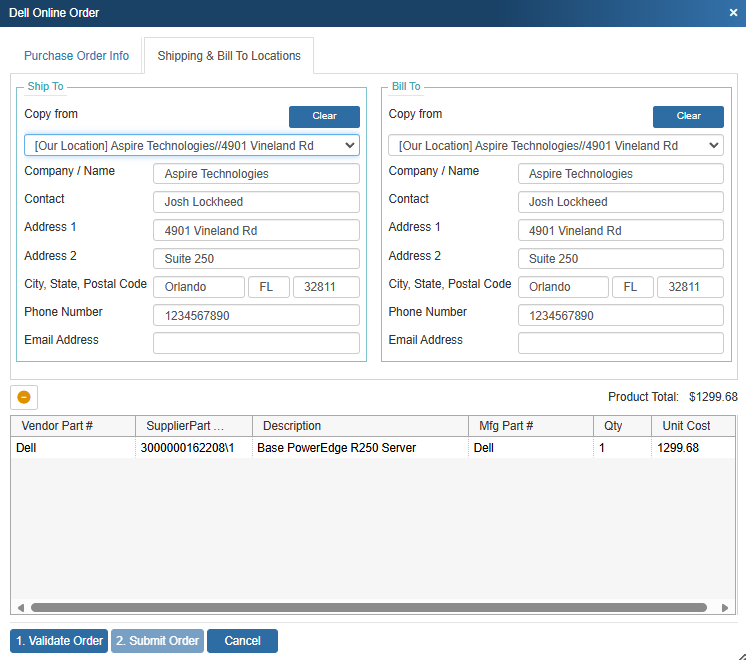
5. Click on the Shipping & Bill To Locations tab to input your shipping and bill to information. You can use the Copy from drop down menus to copy the Ship to and Bill to information from the sold to, ship to, or bill to fields or our location, or the sales rep location.
6. When you are ready to proceed with your order click on Validate Order.
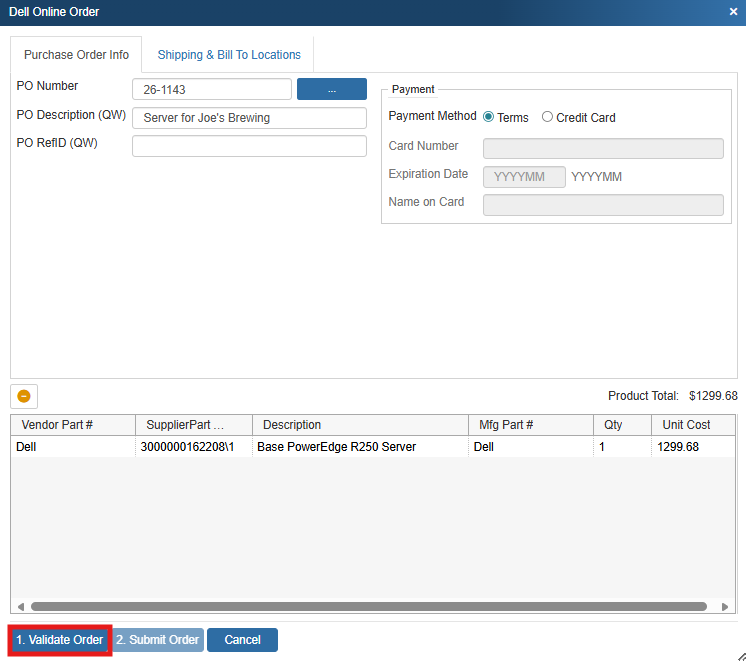
7. Once the order has been validated click on Submit Order to submit your online order to Dell.