This section takes you through using the ConnectWise Integration in QuoteWerks. This will show you how to pull ConnectWise customer records into sales quotes, create ConnectWise opportunities, and more.
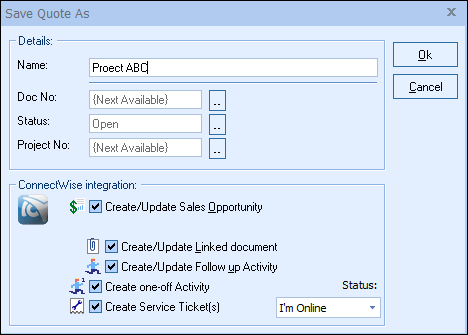
Most of the features described in this topic's sub-topics require that you've already pulled the account/contact information into the Sold to / Ship to tab of the Quote Workbook.
|
Please click the following topics to learn more about writing information back to ConnectWise:
•Pulling ConnectWise Account/Contact Information into QuoteWerks
•ConnectWise Online/Offline Status
•Recurring Revenue in ConnectWise
•Creating/Updating ConnectWise Sales Opportunities
•Creating ConnectWise Projects
•Creating ConnectWise Service Tickets
•Writing Grouped Bundles from QuoteWerks into ConnectWise
•Creating or Updating a Linked Document in ConnectWise
•Creating or Updating a Follow-Up Call in ConnectWise
•Creating a One-Off Activity in ConnectWise
•Viewing a Quote in ConnectWise
•Starting a New Quote from Inside ConnectWise
•Creating a ConnectWise Sales Order from an Opportunity
•Creating New ConnectWise Company from QuoteWerks
•QuoteWerks Dashboard Notifications for ConnectWise
•Sending Agreements from QuoteWerks to ConnectWise
•Creating Purchase Orders in ConnectWise
•Including Additional Contact-Manager Fields when Printing
|
