QuoteWerks Webhooks can send events to a variety of endpoints, including Google Chat. This help file outlines how to send webhook events to a Google chat.
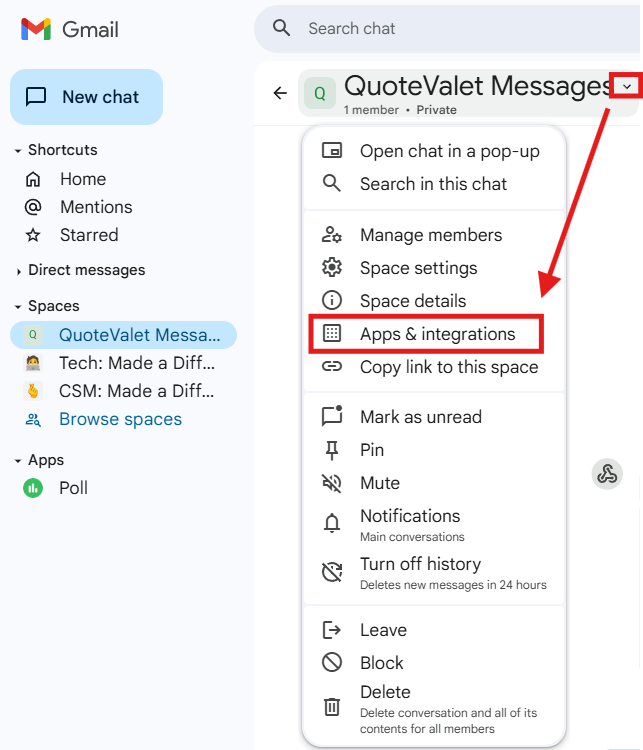
1. Navigate to Google chat and select a space. Click on the down arrow next to the space name and select Apps & Integrations.
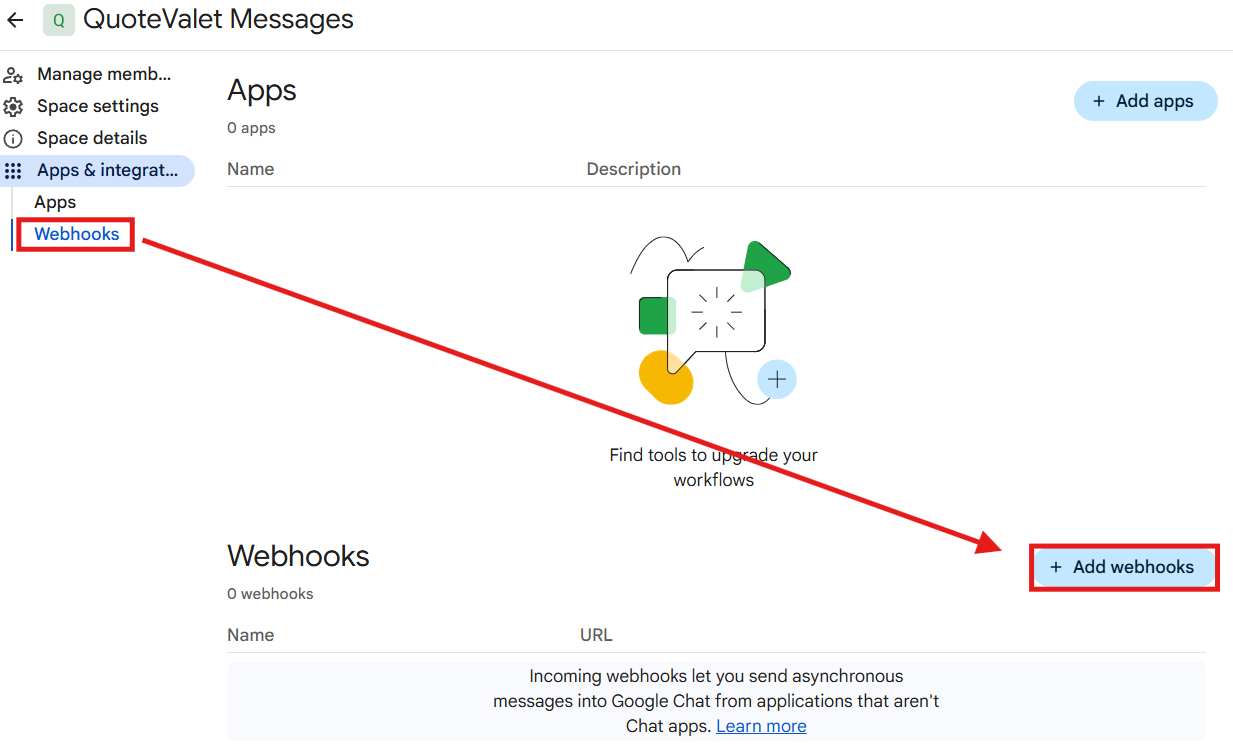
2. Click on Webhooks, then Add Webhooks.
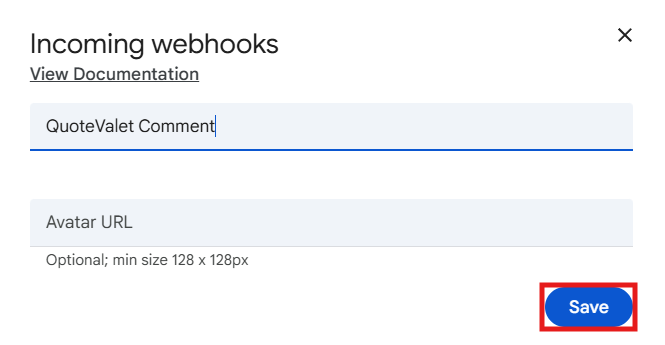
3. On the Incoming Webhooks screen give the webhook a name and click Save.
4. Click on the three dots next to the URL, then click on Copy Link.

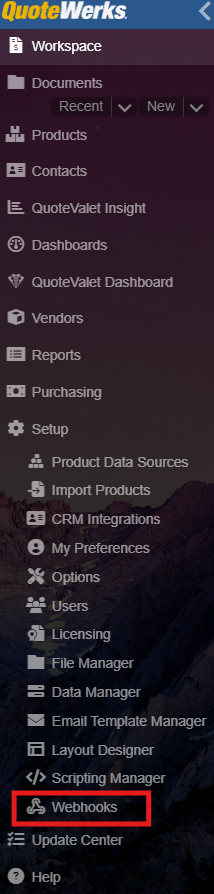
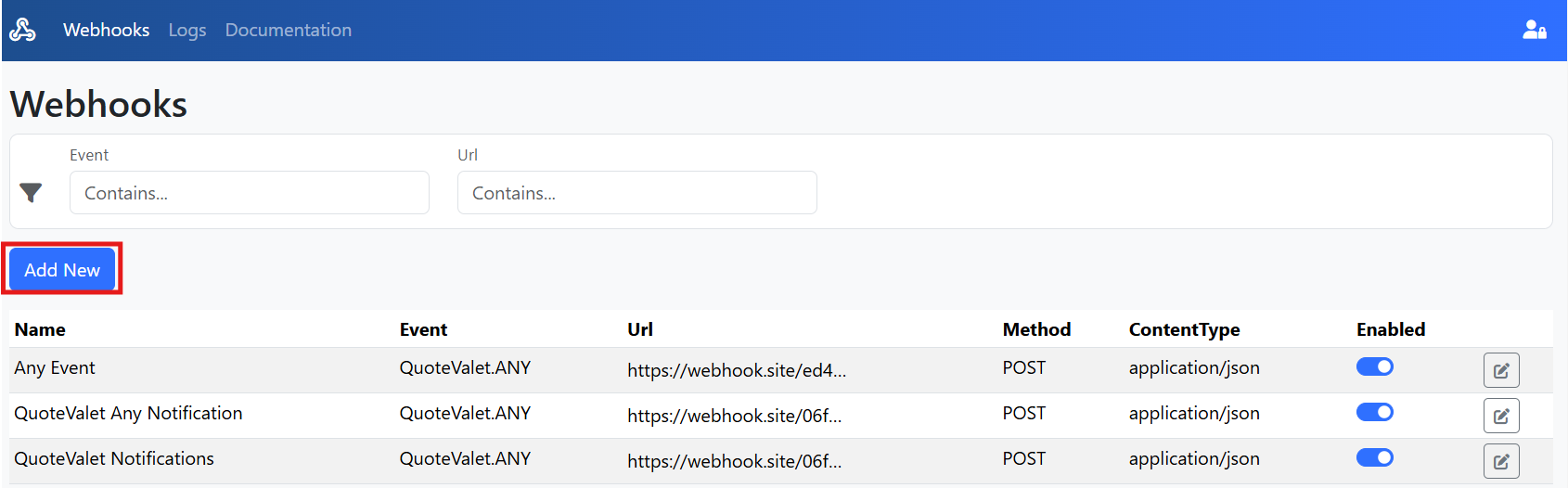
5. Navigate to QuoteWerks and then to Webhooks by going to Setup on the left navigation panel, then Webhooks.
6. Click on Add New to create a new webhook.
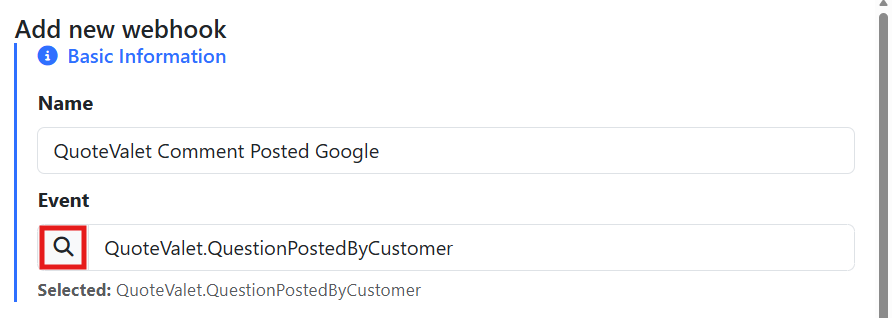
7. Put in a name for your webhook, then select the event you would like to trigger the webhook by clicking on the magnifying glass. In this example we will select QuoteValet.QuestionPostedByCustomer which will trigger a webhook anytime a customer posts a comment on a QuoteValet webpage.
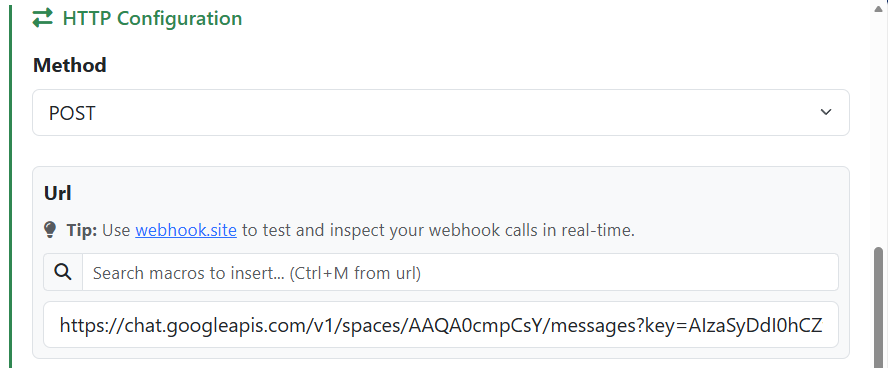
8. Select POST as the method and paste the link you copied from Google into the URL text box.
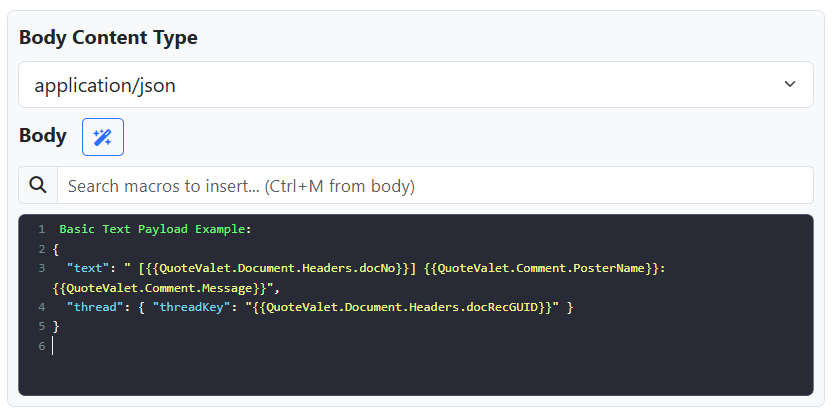
9. In the Body section copy and paste the below code. This is a basic notification example.
Basic Text Payload Example:
{
"text": " [{{QuoteValet.Document.Headers.docNo}}] {{QuoteValet.Comment.PosterName}}: {{QuoteValet.Comment.Message}}",
"thread": { "threadKey": "{{QuoteValet.Document.Headers.docRecGUID}}" }
}
10. Click Save to save your Webhook.
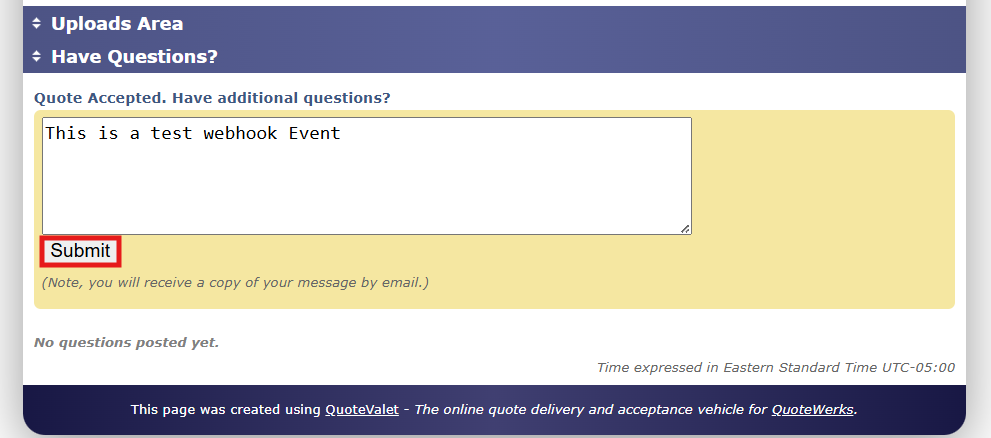
11. Open a test QuoteValet quote and simulate posting a question by scrolling to the bottom of the page to the Have Questions? section and inserting some text. Click on Submit.
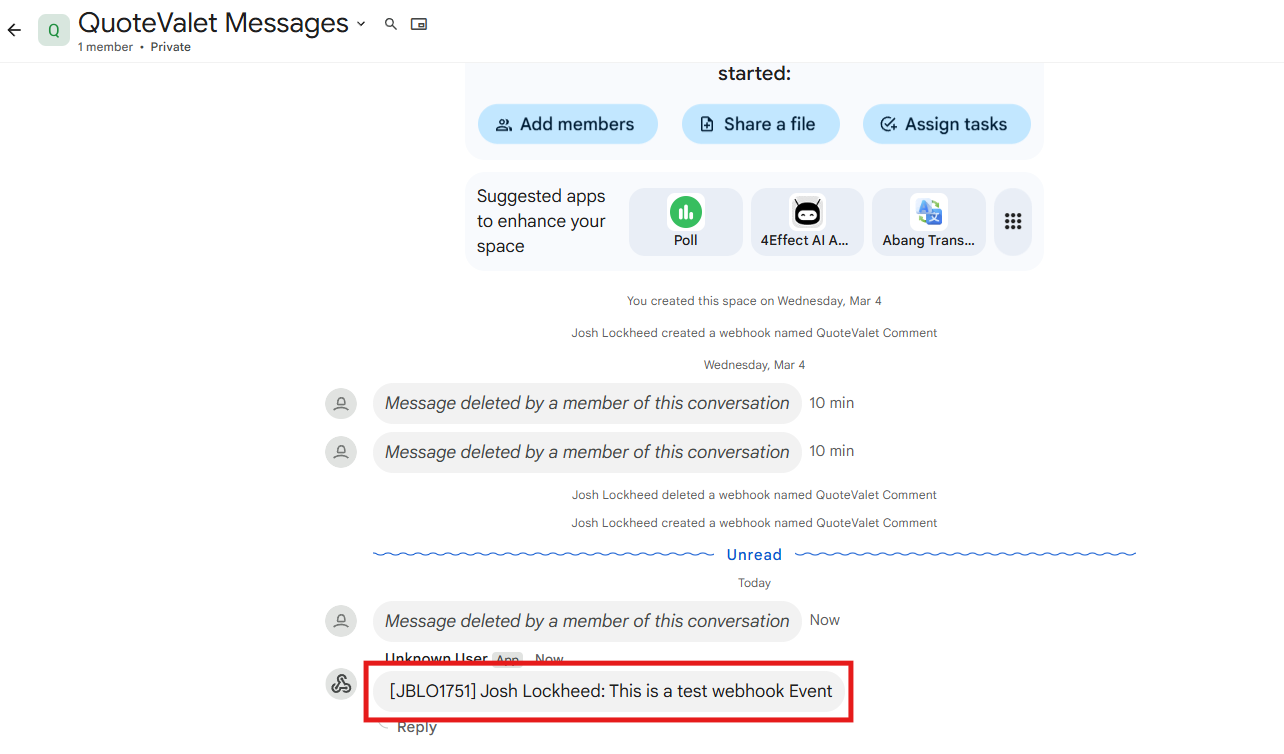
12. Navigate back to your Google Chat and you will see a new message notification including the document number, the name of the person that sent the message and the message contents as seen below.
As an alternative to the basic example above you can use a more advanced JSON payload (as included below) that will send a card style message instead. This example includes the document number, the event, the message, and a link to the SalesRep Facing Page.
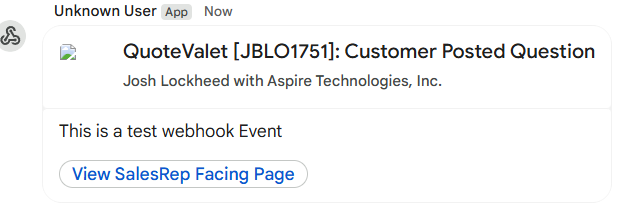
To get a card style message like this one, simply copy and paste the below JSON in the body section instead of the basic example included above.
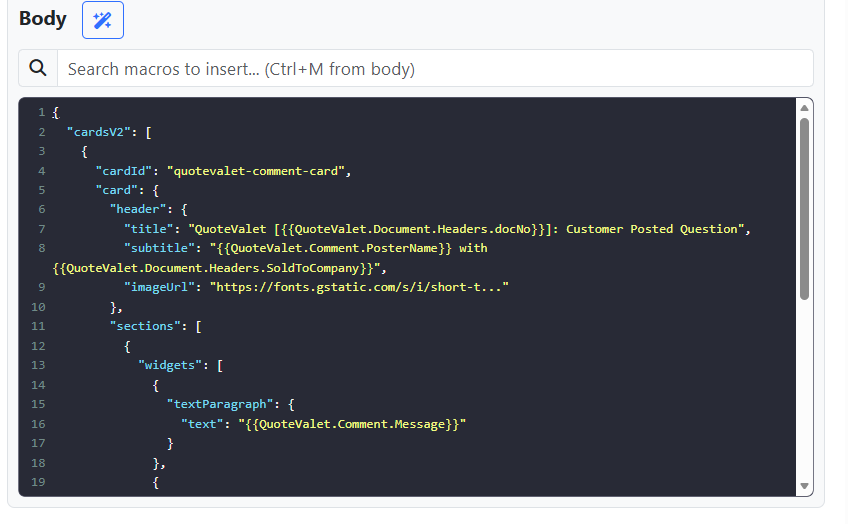
{
"cardsV2": [
{
"cardId": "quotevalet-comment-card",
"card": {
"header": {
"title": "QuoteValet [{{QuoteValet.Document.Headers.docNo}}]: Customer Posted Question",
"subtitle": "{{QuoteValet.Comment.PosterName}} with {{QuoteValet.Document.Headers.SoldToCompany}}",
"imageUrl": "https://fonts.gstatic.com/s/i/short-t..."
},
"sections": [
{
"widgets": [
{
"textParagraph": {
"text": "{{QuoteValet.Comment.Message}}"
}
},
{
"buttonList": {
"buttons": [
{
"text": "View SalesRep Facing Page",
"onClick": {
"openLink": {
"url": "{{QuoteValet.Document.SalesRepFacingUrl}}"
}
}
}
]
}
}
]
}
]
}
}
]
}
