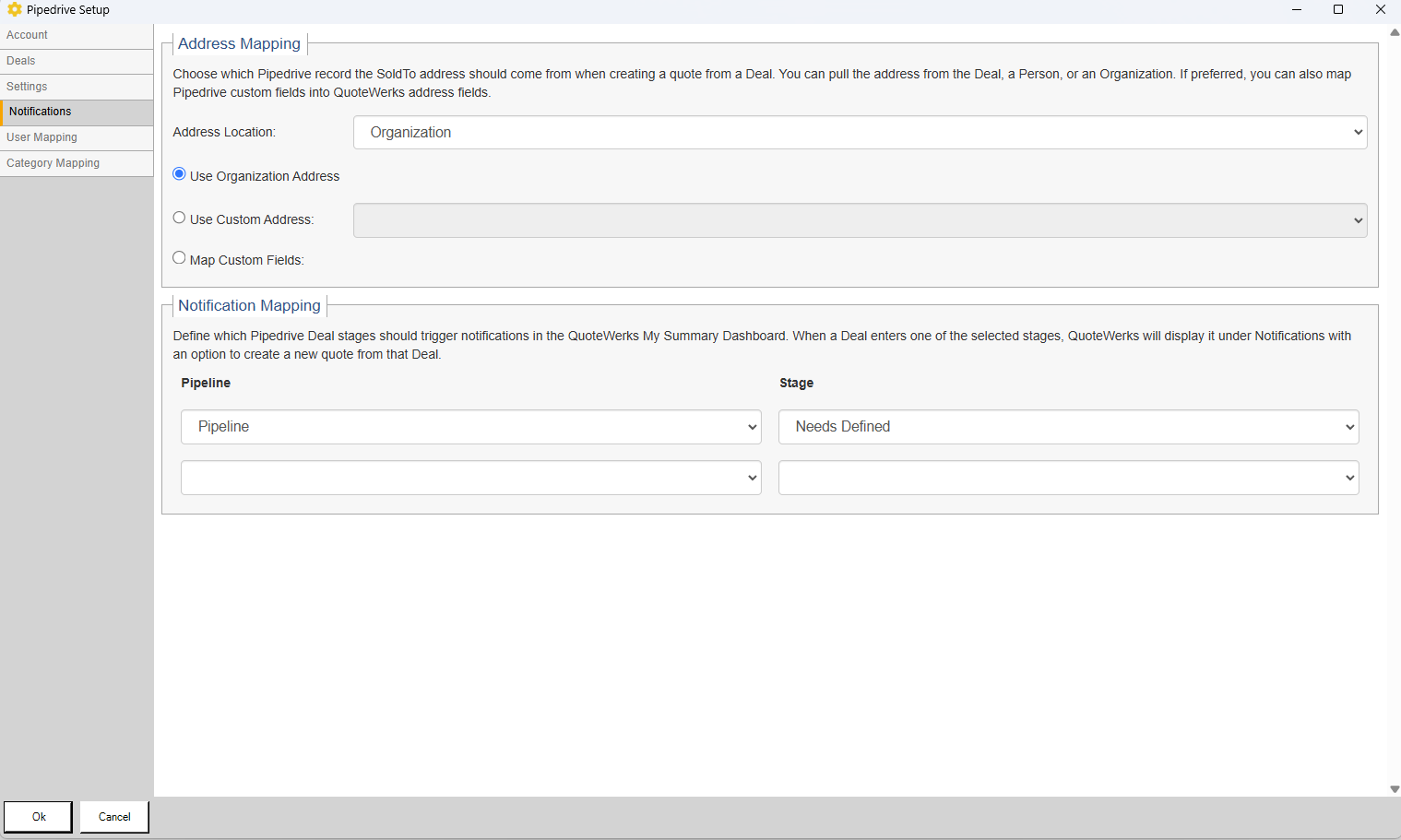
Click on the Notifications tab on the left hand side of the window. Here you choose which Pipedrive record the SoldTo address should come from when creating a quote from a deal and set up your notification mapping.
Address Mapping
Here you can choose the Pipedrive record the address should come from when creating a quote from a deal. You can pull the address from the Deal, a Person, or an Organization. If preferred you can also map Pipedrive custom fields into QuoteWerks address fields.
Notification Mapping
Here you can define which Pipedrive Deal stages should trigger notifications in the QuoteWerks My Summary Dashboard. When a Deal enters one of the selected stages, QuoteWerks will display it under Notifications with an option to create a new quote from that Deal.
