Click on the Settings tab on the left hand side of the window. Here you will configure the Default Record Owner and other setings as described below.
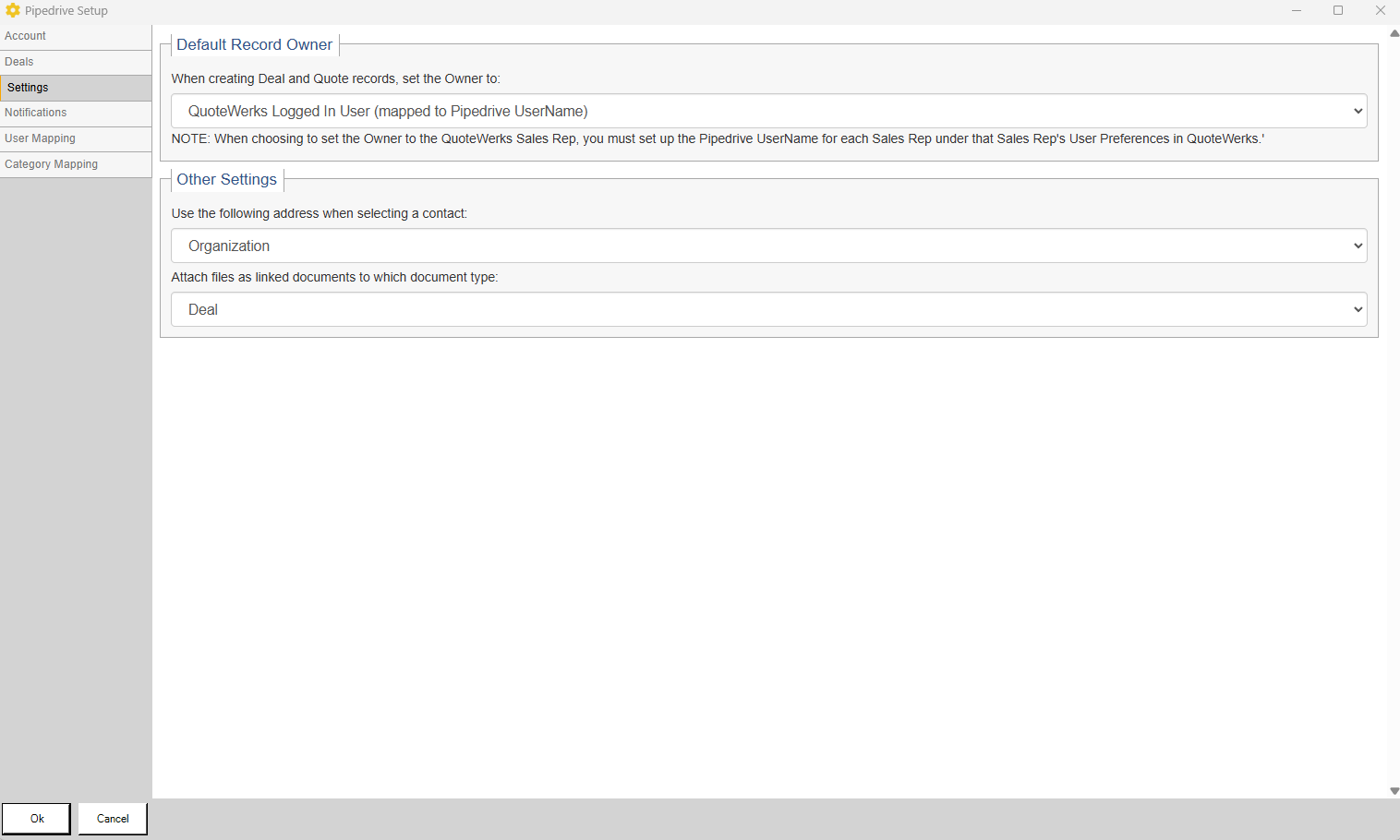
Default Record Owner
Here you have the ability to set which QuoteWerks user is the default record (Deal) owner in Pipedrive. You can select to set the default to either the QuoteWerks Logged In User or the QuoteWerks Sales Rep, both of which are mapped to the Pipedrive UserName.
Use the following address when selecting a contact
Here you can choose to use the Organization address or you can select Organization, Person, or Custom Address. If you select Organization, Person, or Custom Address the system will then display an address selection screen containing all available addresses.
Attach files as linked documents to which document type
Here you can define whether you would like linked documents to be attached to the Deal or the Person in Pipedrive.
|
